
How to fully remove Command Line Tools for Xcode
2025 December 13 - 516 words - 3 mins - blogIt can be confusing on how to completely remove the Command Line Tools for Xcode. Let me guide you through this process, step by step.
We will use the powerfull command line to fully remove the Command Line Tools for Xcode. Start by opening a terminal:
- Press
⌘ command-space, - type
terminal - and press enter
⏎
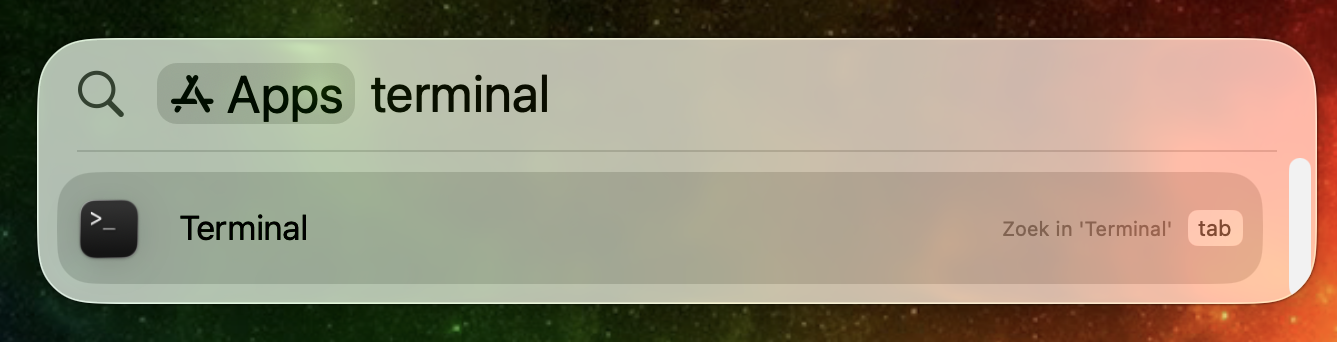
A new window will open. Use this window to enter commands when prompted.
We will use commands starting with sudo, this will run the commands with elevated (administrator) rights.
You will be asked to enter your password. Enter the password you use to unlock your laptop. You will not see any characters appear when you type your password. This is expected.
Remove the tools
First remove the installed files:
% sudo rm -rf /Library/Developer/CommandLineTools
Everything is removed now. And this is where most guides stop. But if you stop here, the tools will be reinstalled whenever an update is available for them. As the package receipts are not removed. But unfortunately this is a pretty convoluted process. Let's go!
Disable SIP
The package receipts are installed in a protected directory. So we cannot simply remove them. We have to disable a security feature called SIP, temporary.
To do this, first remember, or write down the following command: csrutil disable.
- Shutdown your laptop.
- Power-on your laptop, but keep holding down the power button.
- When you see "Loading startup options" you can release the power button. Select 'options'.
 If you are prompted for a user and password, use your regular password you use to unlock your laptop.
When you see four options to contiue, we are ready for the next step.
If you are prompted for a user and password, use your regular password you use to unlock your laptop.
When you see four options to contiue, we are ready for the next step.
 From the top menu, select
 Utilities - Terminalto open a terminal. Type the command we remembered or wrote down:csrutil disableYou will be prompted for your username and password. Once this is completed restart your computer: - Click on the apple icon in the top left corner of the screen
- Choose
Restart
Once the computer is restarted, log in and continue in the terminal
Remove receipts
And now the easy part:
Change to the the directory containing the receipts: /Library/Apple/System/Library/Receipts.
% cd /Library/Apple/System/Library/Receipts
Remove all receipts related to the Command Line Tools for Xcode:
% sudo rm com.apple.pkg.CLTools*
We now only have to enable SIP again and we're good to go.
Enable SIP
This process is similar to disabling SIP, like we did before. The only differenice is the command we need to remember and enter. This time the command is csrutil enable.
Successfully removed to command line tools
Using this process you will have removed the tools properly. Because you have removed both the installed tools as well as the receipts. This frees up disk space and prevents re-installation whenever an update for the Command Line Tools for Xcode are released.

I am Erwin Vrolijk. A technologist, living in Dordrecht, The Netherlands, with a varied talent stack. I help people to be more effective based on data. Learn more about me.